Pages

Showing posts with label app store. Show all posts

Thursday, July 10, 2014

How Apple Could Improve the App Store for VoiceOver Users

Potential  Feature for App Store
Would you buy a song that may or may not play, a car that may or may not fit in your garage, or a remote that could or could not work with your TV? Probably not, but a similar problem is facing VoiceOver users (and users of other built-in accessibility features) every time they look for a new app on the App Store. This user base is growing quickly due to high quality accessibility features that Apple builds into every iOS device. Currently, the App Store offers no way for users to know if the app will be accessible before hitting the buy button. For VoiceOver users, this means throwing away money if the app turns out to be inaccessible. While the issue of app accessibility has been getting a lot of buzz lately, hopefully Apple can implement some solutions to the problem before and until app accessibility is virtually ubiquitous.

One way to help users know if an app is accessible before hitting the buy button is to add an accessibility report to the apps App Store page. Just as App Store pages prominently displays if an app is compatible with Game Center. This report could be generated during Apple's app review process and consist of a simple rating scale to help users determine if the app is accessible for their needs. As Rene Ritchie of iMore.com suggested, maybe Apple would decide not to recommend any apps that are not fully accessible.

There are other solutions such as allowing developers to create an app accessibility preview alongside the full blown app previews coming with iOS 8. Developers could walk users through how the app interacts with VoiceOver or other accessibility features directly in the App Store using audio and video.

Hopefully Apple and app developers continue to keep in mind when updating their products.

Wednesday, January 1, 2014

PDF Expert 5: Well Designed PDF Management App with Text-to-Speech


PDF Expert 5 is a well designed PDF management app for the iPad. The app includes many useful features that allow you to read, edit, and annotate PDF documents easily. Unlike some other feature -rich apps, PDF Expert 5 does not feel cultured. The elegant design makes the app easy to use. PDF Expert is an assistive app because of its text-to-speech integration with the added benefit of extra features.

One caveat, while the app is good for non-disabled and dyslexic users, I would not recommend the app for VoiceOver users because of some VoiceOver problems I have found. Readdle, the maker of the app, should work on fixing these VoiceOver problems so blind and visually impaired can also benefit from the app. 

PDF files can be imported from numerous cloud storage services including Google Drive, Drop Box and SkyDrive or using the "open-in" feature of many other iOS apps. You can also view other file types, but the built in text-to-speech reader is only available for PDF documents. Files can be organized into folders or dragged and dropped into different sections.

PDF Expert's text-to-speech function works with any PDF with digital text. It does not work with PDF documents that have text within images. To read a compatible PDF, turn on text-to-speech in the reading mode menu and then press play. You can start reading at the middle or end of a page by highlighting a word and pressing "read from here." Text is read with the default iOS voice that many may recognize as the voice of Siri. Unfortunately, you cannot purchase additional higher quality voices. The app also requires you to re-enable text-to-speech every time you switch PDF documents. This is inconvenient if you switch are between PDF documents quickly.

Click read more below to continue reading about PDF Expert.

Friday, August 30, 2013

Kidspiration Maps: Inspiration Mind Mapping for Kids

Kidspiration Maps is a kid friendly mind-mapping app for the iPad. Kidspiration is similar to the Inspiration Maps, but Kidspiration includes more kid friendly templates and clipart like graphics. Kidspiration allows users to create mind mapping webs to help organize ideas and information visually. Unlike Inspiration Maps, Kidspiration allows users to insert a large variety of clipart images into their maps. Kidspiration also includes the ability to add a recorded voice note; a feature that is unfortunately missing in Inspiration Maps.

Kidspiration Maps includes a large number of pre-loaded templates for reading and writing, social studies, science, and math. These templates are geared for elementary school children and range from an “all about me” web to sorting and matching activities. If no template is applicable there is an option to start a new document. One template contains a number of words and instructions to arrange the words into alphabetical order while another asks kids to match states to their capitals. With the nice visuals these activities can be engaging and easier than using physical manipulative. Teachers can also create actives with text or voice instructions. One negative is when the student is completing the actives there is no way to program the correct responses in order to give the student immediate feedback. Also, when searching for clipart students cannot search for an image by keyword, but instead must scroll through long lists of images.

In addition to web view, there is also list view in which users can view and edit content as well. After completing a document it can be saved to the app, emailed, saved to photos, sent to an app, or saved to Dropbox. Kidspiration Maps is a well-made app that is worth looking into. Kidspiration Maps can be downloaded from the App Store for $9.99. If you would like to try Kidspiration before you buy click here to download the lite version.

Correction: The original post stated that the shape text boxes could not be changed after they were created. The shape of a text box can be changed by selecting the original text box and double tapping the new shape in the menu.

To view screenshots of Kidspiration Maps in action click here.

Tuesday, May 14, 2013

Prizmo 2.0 for iOS Released With Cool New Features


Prizmo 2.0 for iOS was just released in the App Store. Prizmo now works on the iPad as well as the iPhone and iPod Touch. The update includes many exciting new features. The original version of Prizmo included optical character recognition (OCR) but did not include the ability to scan documents to a PDF or text file. The PDF files are not just images but include searchable text. Prizmo 2.0 also allows users to export the documents to other apps.

To create a new document in Prizmo you can simply take a picture of multiple pages. Prizmo will automatically detect the edges of the page. In version 2.0 you no longer have to crop documents manually. Once you have captured all of the pages you can recognize the text of the document which is surprisingly fast and accurate. If the Prizmo does make a mistake you can edit the OCR zones or manually edit the text. After the text has been recognized you can email or export the document as a PDF or text document or read the text using built-in text-to-speech. The text is highlighted as it is read aloud which can be helpful for people with dyslexia  Unfortunately you can only read one page of the document at a time using the built-in text-to-speech. In addition, it is important to note that each text-to-speech voice costs $2.99.

Prizmo is still a great tool for quickly reading printed documents using text-to-speech and now is one of the best PDF scanning apps. Most PDF scanning apps such as Scanner Pro only make an image PDF with no text but Prizmo creates PDFs with searchable text.

Prizmo 2.0 includes a new feature to help blind and visually impaired users line-up a document. Because it would be virtually impossible for the blind to take a well aligned picture of a document with out assistance Prizmo voices directions through VoiceOver. If a user has VoiceOver turned on it will tell a blind or visually impaired user which direction to move their device in order to get the perfect shot.

Prizmo is on sale for $5.99 in the App Store. Click read more below to view screenshots of Prizmo 2.0.

Sunday, May 12, 2013

NaviDys Browser for iPad Makes Reading the Web Easier


NaviDys is a web browser for the iPad. The app allows full customization of a website's font, line spacing, letter spacing, and text size. Currently it is only available on the iPad not the iPhone or iPod Touch. While it feels very much like the built in Safari browser that comes with the iPad, NaviDys has features that make it easier to read the web. For people with low vision the ability to enlarge fonts and increase spacing is beneficial. Also, for dyslexics NaviDys includes the Dyslexie font. But using a third party browser does not come without trade offs. You cannot open links from other apps directly into NaviDys. Unlike Safari NaviDys does not include a reader mode to remove distractions from web pages. NaviDys costs $2.99 from the App Store.

Click read more below to view screenshots of NaviDys.

Sunday, November 4, 2012

PDF Expert Review


PDF Expert is an elegant PDF manager, viewer and annotator. The app is available for iPhone, iPad and iPod Touch but the iPhone version and iPad version must be purchased separately. You can easily add PDF to the app by using the "open in" feature. Once you have PDFs in the app you can organize them into folders and sub-folders. The highlight of PDF Expert is its annotation features. PDF Expert allows you to quickly and easily add note, text, signatures, watermark stamps, images from the camera roll or audio notes to any PDF. You can search for a PDF by title or by the contents. PDF Expert also includes a passkey lock feature that allows you to protect your sensitive PDFs. 

Unfortunately, PDF Expert does not include text-to-speech for PDFs. Even PDFs created on the computer cannot be read allowed. Also there is no optical character recognition feature for scanned PDFs. If these features are not important to you than PDF Expert is a great choice because of all the other great features. If text-to-speech is important to you than you may need to look elsewhere.

PDF Expert sells for $9.99 in the App Store. Click here for the iPad version and here for the iPhone and iPod Touch version. Click read more to view screenshots of PDF Expert.

Sunday, October 21, 2012

Ariadne GPS App Review


Ariadne GPS is an app for iPhone, iPad and iPod Touch that allows people with visual impairments to navigate their surroundings. Ariadne GPS app is best suited for the iPad and cellular iPad because those devices have the most accurate location information. The app is fully compatible with VoiceOver allowing visually impaired users to use all features of the app. Ariadne GPS helps the user explore their surroundings by using the GPS of your iOS device to convey information about location, direction of travel and nearest favorite locations. The app can enable blind users to navigate streets, transit systems and even large buildings. When traveling on a train or a bus a blind user could set Ariadne GPS to alert them when they were getting close to their stop. A blind user could also program there classroom locations into the app in order to help navigate a large school building. As a user walks with the app can read street names and numbers. iAriadne GPS also has a map mode which allows a visually impaired user to access maps with VoiceOver.

Ariadne GPS is made to integrate perfectly with VoiceOver. It is a really well thought out app that solves a complex problem. United States users may find some of the labeling odd because the app is was designed over seas. For example street addresses are spoken with the street name and then the number and city.

Overall the $5.99 Aridane GPS is defiantly worth checking out. Click here to view it in the app store. Click read more below to view screenshots and videos of Ariadne GPS.

Wednesday, September 12, 2012

iPhone 5 Announced


Apple announced the iPhone 5 at an event today in California. The iPhone 5 includes and bigger screen, better camera, faster processor, thinner design and more. The iPhone 5 will run on iOS 6 Apple's mobile operating system which includes accessibility features such as VoiceOver, Guided Access and Speak Selection. Click here to learn more about iOS 6.

The iPhone 5 will be available for pre-order on September 14th and for sale on September 21th starting at $199. Click read more below to view more images of the iPhone 5.

Tuesday, September 11, 2012

HumanWare Communicator a Great Tool For Deaf-Blind Communication


HumanWare recently released the HumanWare Communicator app for iOS devices. The app is designed to make communication between a deaf-blind person and a sighted person possible.When the conversation is started an introduction is displayed for the sighted user to read. The deaf-blind person uses a Bluetooth braille display to type a message to a sighted person, this message appears on the screen of the iPhone, iPad or iPod Touch.  Then the sighted user can respond using the virtual keyboard and the message will appear on the refreshable braille display. The conversation can then go back and forth with the deaf-blind person typing on the braille display and the sighted user typing on the device's virtual keyboard.

HumanWare describes the app as follows,
"The HumanWare Communicator application is intended to establish a text conversation, through a chat window, between a deaf-blind person and a sighted person. All interaction appears both on the deaf-blind person's refreshable Braille display, as well as visually on the screen of the iOS device."
The HumanWare communicator is available in the App Store for $99.99 for devices running iOS 5.1 or higher. To view screen shots of the HumanWare Communicator app in action click read more below.

Thursday, August 9, 2012

Enhanced Google Voice Search Coming To iOS


Google's enhanced voice search that debuted in Android 4.1 Jelly Bean is coming to the iPhone, iPad and iPod Touch in the coming days. Google announced that the Google Search app for iOS will be updated in "the next couple of day" to include the new feature. You simply tap the microphone and ask a question and the result is spoken back to you. The enhanced voice search is similar to Apple's Siri. Stay tuned to learn more about Google voice search and how it compares to Siri. Google says the following about enhanced voice search,
"Often the most natural way to ask a question is by asking aloud. So we’ve combined our speech recognition expertise, understanding of language and the Knowledge Graph so that Voice Search can better interpret your questions and sometimes speak the answers back as full sentences. This has been available on Android for a few weeks and people love it."
Click here to download the current version of the app.

Update: The app has not yet been released and some are speculating that Apple may be delaying the update because it is a competitor to Siri.

Wednesday, August 1, 2012

Prizmo Vs. TextDetective OCR iPhone App Challange


Prizmo and TextDetective are optical charactor recognition (OCR) apps for the iPhone. These apps use the iPhone camera to take a picture of a document and then convert the text on the paper to digital text. Because the apps rely on the iPhone camera they work best on the iPhone 4S. The apps were compared using a complex image with multiple images and columns. Both apps were used in a room with good lighting. Watch the video above to learn more about each of the apps.

Prizmo costs $9.99 in the App Store. Click here to download Prizmo. Prizmo is the fastest most accurate user friendly OCR app that I have ever tested. It is designed for sighted users. It allows you to crop and edit the picture before you start the OCR process. Once the text has been recognized you can read it using text-to-speech, email it or copy the text. It is important to note that users with visual impairments may have a hard time taking pictures of the documents they want to OCR. It also is impossible for a visually impaired user to crop the document to improve the accuracy. That being said for sighted users very easy to use.

TextDetective costs $1.99 for a limited time. Click here to download TextDetective. TextDetective is designed for people with visual impairments. The app is designed to make taking a picture of a document easy for the visually impair. In my tests I had a hard time taking a clear picture of a whole document. I could successfully capture a clear picture of one or two paragraphs. TextDetective was less accurate and slower than Prizmo. One problem I found is that TextDetective only works in landscape orientation but most documents are in portrait orientation. The orientation of the app makes it difficult to  take a crisp picture of the page. In all for only $1.99 TextDetective may be worth a try.

blindsightabc abc

Monday, July 23, 2012

Learning Ally Audio App Now Free


Learning Ally, the audio book service for people with disabilities, has reduced the cost of their iOS app to free. The app previously cost $19.99. In order to use the app you must be a Learning Ally member. Click here to download the app which is compatible with both the iPad and iPhone. The app is the easiest way to listen to Learning Ally books on your iOS device. Now that the app is free it is a no brainer for members.

Unfortunately the app is still missing key features such as background audio play back, background downloads and the ability to browse the Learning Ally catalog directly from your iOS device. When listening to an audio book you cannot follow along with an ebook because the audio book will automatically pause. Also in order to download an audio book you first must add the book to your bookshelf via a web browser. These short comings weaken the user experience, but it is still great to listen to Learning Ally books on your iOS device.  Hopefully in time the app will be updated with these and other features. To learn more about Learning Ally click here. Click read more below to view screen shots of Learning Ally Audio in action.

Tuesday, June 26, 2012

Apple Releases New Podcasts App


Today, Apple released a new app called Podcasts. Click here to download the free app. The app has a number of improvements including the ability to subscribe to Podcasts from your device. Podcasts are a great way for people with reading disabilities or visual impairments to keep current with the news. Click read more below to see screen shots of Podcasts in action.

Sunday, March 11, 2012

Khan Academy Releases iPad App


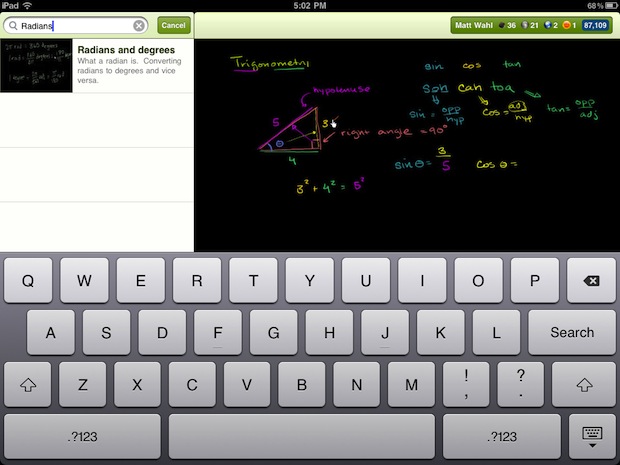
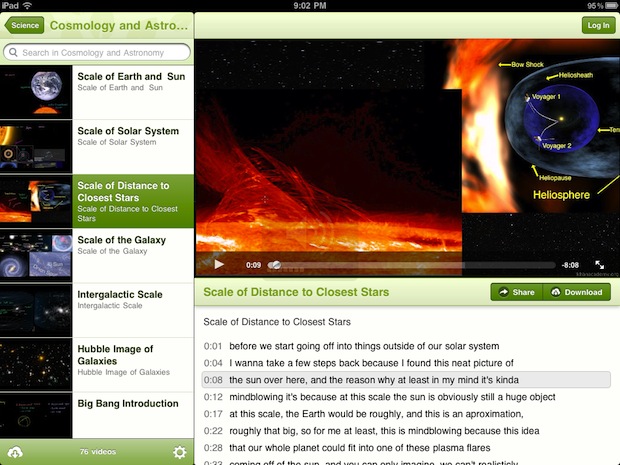
Khan Academy the website that makes free online learning videos has released a new app for the iPad. The newly released app allows you all of the video content. The Khan Academy is a great online learning resource and it is great to see it coming to the iPad. Click here to download the free app from the App Store. Khan Academy is a great resource for people who want to learn about a variety of subject or review for school assessments. In addition it is a great resource to compliment class notes. The video's include closed captions.

Tuesday, March 6, 2012

PaperPort Notes App for iPad: Notetaking with Dictation


Paperport Notes is a free app for the iPad. The app is made by Nuance the maker of Dragon Dictation. The app allows users to take notes by typing, writing with a stylist or by dictation. Paperport Notes also allows users to import pictures and web pages into notes as visual reminders. Another useful feature allows users to record audio notes of a class or meeting while they are typing or writing notes. The audio notes will allow you to go back and review the class or meeting if you missed an important part. Once you have completed your note you can save in as a PDF or use cloud services such as Dropbox.


Click read more below to view more images of Paperport Notes.

Thursday, January 19, 2012

New iTunes U App: Perfect for Students and Educators

Today, Apple announce a new iTunes U App for iPad, iPhone and iPod Touch. To download the free app click here. The app allows students view classes, slide shows, documents and more from their classes. iTunes U also allows teachers to post assignments, video or audio of classes, slide shows, documents and more for uses by their students. iTunes U allows users to participate in classes from top university and organizations regardless of if the users attends the school. iTunes U can now be used by K-12 schools as well as universities. All classes are free to the public on iTunes U. iTunes U allows students to view and check off assignments, take notes and review missed classes. Apple describes the app as,

"Whether you’re taking a European history course in your spare time, learning Spanish in high school, or majoring in molecular biology at a university, you now have a powerful tool to help you get the most out of your classes. The new iTunes U app expands the classroom experience by putting all the materials for a course — audio and video, new iBooks Textbooks for iPad and other books, a syllabus and class assignments, posts from the instructor, PDFs, presentations, and more — just a tap away on your iPad, iPhone, or iPod touch."
Apple also says how iTunes you keeps you current, 
"When you take an iTunes U course, you’ll always have the most current information at your fingertips. With a tap, you can listen again to the most recent lecture or review the latest presentation to make sure you got all the details. Stay on top of your assignments and check them off as you complete them. And when an instructor sends a message or creates a new assignment, you’ll receive a push notification with the new information."
Click read more below to view additional pictures of the new iTunes U app.

Saturday, January 7, 2012

Prizmo: Fast, Accurate, Full Featured OCR App for iPhone Review


Prizmo is the best optical character recognition (OCR) app for iPhone, iPad and iPod Touch that I have used. Because of  iPhone's superior camera you will have the best results while using Prizmo on the iPhone. Prizmo allows you to take a picture of text, business cards and more and then process them into useful electronic documents. When taking a picture of a business card, Prizmo makes a contact that you can quickly add to your contact list. Prizmo really shines when recognizing text. Simply take a picture then crop it to only include the text that you want to have read and then click "next" to begin the OCR. Prizmo has a very nice feature that allows you to say "take picture" to snap a picture of the document to eliminate shaking as you go to press the shutter button. Prizmo will quickly recognize the text and put it into a text document. Then you can edit any mistakes that Prizmo may have made. One of the only down sides of Prizmo is that it does not allow you to OCR multiple pages into the same text document.

After the text has been recognized you can read the text with a built in reader, VoiceOver or Speak Selection. You can also translate, email or save it to a number of cloud services including Dropbox and Evernote. In order to use the built in reader you must buy a text-to-speech voice for an additional $2.99. The reader allows you to control play back speed, but does not highlight the words as they are being read allowed. It does place a white dot next to the line that is currently being read. Prizmo is great for saving documents in an electronic format or for people who struggle to read and are helped by having text read aloud. Prizmo works faster and more accurately than ZoomReader, TextGrabber and SayText. Prizmo is $9.99 in the iTunes app store. Click here to download or view Prizmo in the App Store. Click read more below to see screen shots and more videos of Prizmo.

Monday, December 12, 2011

Great List of Apps to Support Literacy


Greg O'Connor has put together a great list of apps for literacy support on spectronicsinoz.com. To view the list click here. The list is broken into categories reading support, OCR, writing and notetaking support, mind mapping, organizational and study support and reference. Check out the list here.

Sunday, October 23, 2011

Notability Note Taking App for iPad


Notability is a note taking app for iPad. The app is available for $0.99 in the App Store. To download the app click here. Notability allows users to take and edit notes with multimedia including audio and visual. Notability allows users to input text with a keyboard or using their finger to write each letter. Notability also allows users to draw diagrams and highlight. The following from Notability's website,
Discover happiness in capturing your ideas and pursuing your dreams. Notability, the first truly integrated note-taking app on iPad, allows you to do just that. Audio recording, advanced word processing, full-featured handwriting, PDF annotation, and auto syncing flow together seamlessly, allowing you to create comprehensive, beautiful notes, quickly and simply. Even customize the look and feel to fit you."
One of Notability's killer features is audio recording. Notability describes the audio recording feature as follows,
"Standing on a framework that automatically links notes with audio recordings, this tool is perfect for recording lectures, meetings, and interviews. A simple tap to start and your ready to record your speech, presentation, or discussion. Recording even continues when your using other apps. These recordings enhance the review process beyond words. Simply tap on a line and listen to exactly what was said when you were typing. The unique sound amplification features will make sure every word is audible wherever you are. When you finished reviewing, keep the recording for a later date, or delete it. Its your choice."
Another great new feature is the ability to edit and modify PDF files. PDF annotation is described as follows on Notability's website.
"Import lectures, presentations, and forms, straight into Notability from email attachments, the web, or you favorite cloud service. You choose the tools that best help you capture information on a PDF. Write, draw, highlight, type, in an array of colors, or add images. Take notes in text or use a writing block to create a movable canvas. All these features work together to ensure you can create notes that fit your life."
Notability is a great, low cost app for taking notes. To download Notability click here. Click read more below to learn more about Notability.

Tuesday, October 11, 2011

Looktel Money Reader App Updated (Giveaway)


Today the Looktel Money Reader was updated to version 2.1. The new update includes bug fixes and makes the app available in Europe. Version 2.0 added support for the Euro, Pound, Australian dollar and Canadian dollar. The Looktel Money Reader can recognize any supported bill when it is in front of the camera The Money Reader will audibly say the denomination of the bill. The Looktel Money Reader is available in the App Store for $9.99. Click here to download the Looktel Money Reader. The Money Reader is can help visually impaired people quick identify the denomination of money anywhere. To learn more about the inaccessibility of paper money click here. To learn more about the Looktel Money Reader click here.

Giveaway

The makers of Looktel provide promotional codes to use as give aways on this blog. Sometime in the next 48 hours one promotional code will be posted on the Assistive Technology Blog. The first reader to redeem the code wins the app. Once one person uses the code it will no longer work. If you do not win the app is availabe by purchase.  You can find it by clicking here.