Learning Ally Audio App is now available in beta for Android
devices. Learning Ally is a provider of audio books for the blind and dyslexic.
The newly released Android app provides access to Learning Ally’s collection of
75,000 audio books for members with Android devices. From information provided
on the apps Google Play page the Android version seems to have features comparable to its iOS counterpart. The app is available for free on the Google
Play store and require a Nexus 7, Samsung Galaxy Tab, or Motorola Droid Razr
with Android 4.1 or later. Click here to download the Android version from
Google Play. To learn more about the iOS version of Learning Ally Audio click here.
Learn about assistive technology for people with reading disabilities, dyslexia, low vision, blindness and other disabilities that make reading, writing, and other tasks difficult. Written by someone who uses assistive technology to read and write.
Showing posts with label free app. Show all posts
Monday, August 26, 2013
Learning Ally Audio App Available for Android in Beta
Saturday, March 30, 2013
Quizlet Flashcard App: Create, Share, and Study
Quizlet is a website where users can create, share, and study flashcards. Users can make a study set on the internet and then study them on a computer or using the free Quizlet iOS app. The app is compatible with iPhone and iPod touch. Teachers can also make a study sets for their classes. Quizlet also offers pre-made flashcard sets for popular vocabulary books, SAT vocabulary, and more. Flashcards can also include images to aid in studying. Once the study set is open you can view the terms in list mode or in flashcard mode. Watch the video above to learn more. Both modes include speak buttons which speak the terms in a high quality text-to-speech voice. Quizlet is compatible with Apple's VoiceOver. Click here to download the free app.
Click read more below to view screenshots of the app in action.
Sunday, February 17, 2013
Eyes Free Typing App Fleksy Now Free
The eyes free typing app for iPhone, iPad, and iPod Touch called Fleksy is now free on the App Store. The app is able to predict what word you are trying to type even if you did not hit any of the right virtual keys. As long as you are close to the right keys Flesky is able to predict the word. Fleksy is so accurate you do not even have to look at your phone to type. Just like other keyboard apps on iOS Fleksy does not replace the default keyboard. Click here to read the full review.
Click read more below to learn more.
Monday, July 23, 2012
Learning Ally Audio App Now Free
Learning Ally, the audio book service for people with disabilities, has reduced the cost of their iOS app to free. The app previously cost $19.99. In order to use the app you must be a Learning Ally member. Click here to download the app which is compatible with both the iPad and iPhone. The app is the easiest way to listen to Learning Ally books on your iOS device. Now that the app is free it is a no brainer for members.
Unfortunately the app is still missing key features such as background audio play back, background downloads and the ability to browse the Learning Ally catalog directly from your iOS device. When listening to an audio book you cannot follow along with an ebook because the audio book will automatically pause. Also in order to download an audio book you first must add the book to your bookshelf via a web browser. These short comings weaken the user experience, but it is still great to listen to Learning Ally books on your iOS device. Hopefully in time the app will be updated with these and other features. To learn more about Learning Ally click here. Click read more below to view screen shots of Learning Ally Audio in action.
Wednesday, July 11, 2012
Apple Configurator: Perfect Tool for Schools With iPads
More and more schools are providing iPads to all or some of their students. Setting up dozens of iPads manually can be time consuming and monotonous. Apple's free Mac app called Apple Configurator solves this problem by allowing schools to set up multiple iPad, iPhone or iPod Touch all on once. Click here to download the app from the Mac app store. Once the you have downloaded the app you can change settings and install apps on multiple iOS devices. Apple Configurator is a time saving app for anyone that needs to set up multiple iOS devices. Click read more below to view screen shots of Apple Configurator in action.
Sunday, March 11, 2012
Khan Academy Releases iPad App
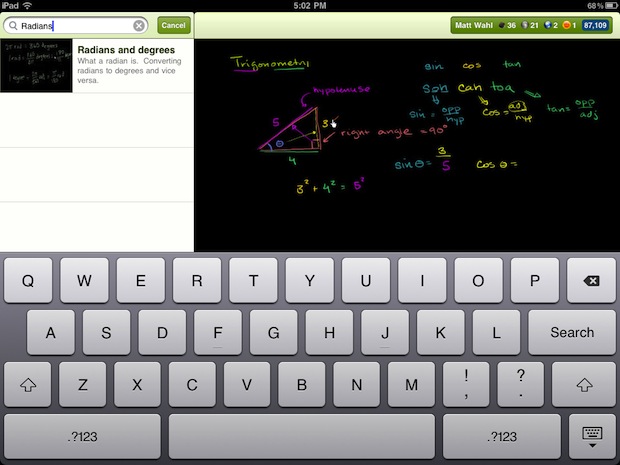
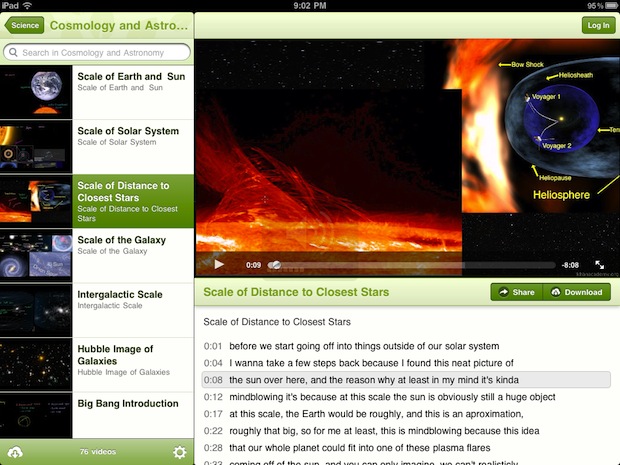
Khan Academy the website that makes free online learning videos has released a new app for the iPad. The newly released app allows you all of the video content. The Khan Academy is a great online learning resource and it is great to see it coming to the iPad. Click here to download the free app from the App Store. Khan Academy is a great resource for people who want to learn about a variety of subject or review for school assessments. In addition it is a great resource to compliment class notes. The video's include closed captions.
Tuesday, March 6, 2012
PaperPort Notes App for iPad: Notetaking with Dictation
Paperport Notes is a free app for the iPad. The app is made by Nuance the maker of Dragon Dictation. The app allows users to take notes by typing, writing with a stylist or by dictation. Paperport Notes also allows users to import pictures and web pages into notes as visual reminders. Another useful feature allows users to record audio notes of a class or meeting while they are typing or writing notes. The audio notes will allow you to go back and review the class or meeting if you missed an important part. Once you have completed your note you can save in as a PDF or use cloud services such as Dropbox.
Click read more below to view more images of Paperport Notes.
Subscribe to:
Posts (Atom)